Ms-Word Practice-01: Word Processing, Heading Style, Spell Check और Formatting से जुड़ी पूरी जानकारी आसान भाषा में दी गई है। छात्र इस Practical File की मदद से Microsoft Word में टेक्स्ट टाइपिंग, सेविंग, स्टाइलिंग और डॉक्यूमेंट Formatting सीख सकते हैं। इसमें Step by Step प्रक्रिया, जरूरी Commands और Practical Format को विस्तार से समझाया गया है। कंप्यूटर परीक्षा और प्रैक्टिकल तैयारी करने वाले छात्रों के लिए यह जानकारी बेहद उपयोगी और मददगार साबित हो सकती है।
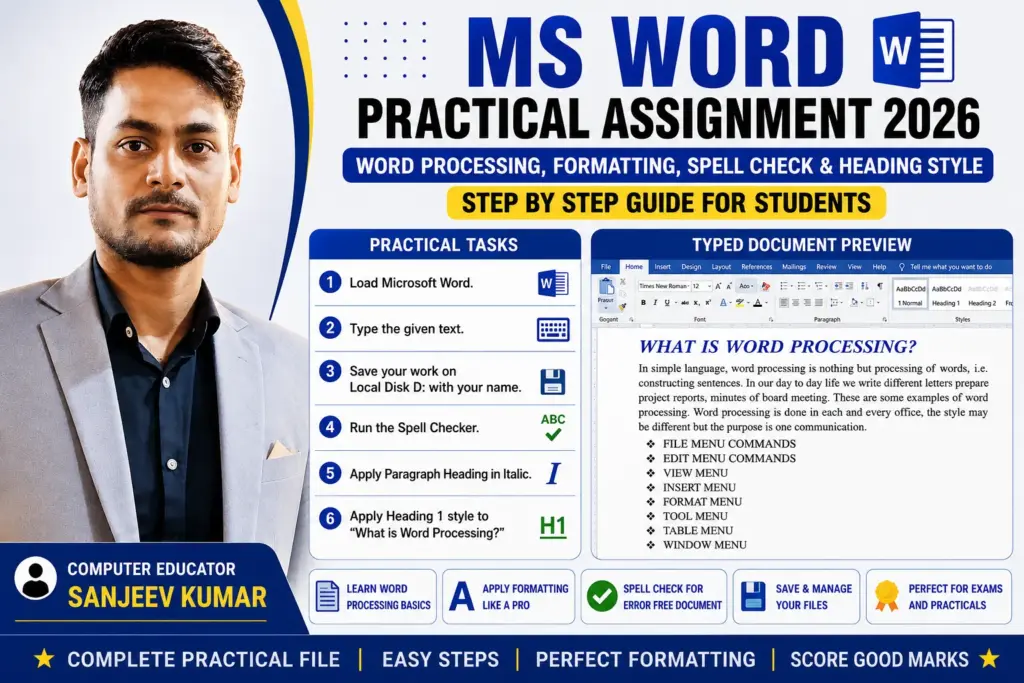
Ms-Word Practice-01: MS Word Practical Format
Q.1. Load Microsoft Word
Q.2. Type the Following Text
WHAT IS WORD PROCESSING?
In simple language, word processing is nothing but processing of words, i.e. constructing sentences and preparing useful documents. Word processing helps us to create, edit, save and print documents in an easy way. In our day to day life we write different letters, applications, resumes, project reports, notices and minutes of board meetings. These are some common examples of word processing.
Word processing is done in schools, colleges, offices, banks and business organizations. It saves time and makes our work neat and attractive. We can also change the font style, font size and color of the text according to our requirement. Microsoft Word is one of the most popular word processing software used all over the world. It provides many useful features such as spell check, grammar check, formatting, tables, page design and printing facilities.
Using word processing software, users can prepare professional documents quickly and accurately. It also allows users to insert pictures, symbols, charts and tables into the document. Documents can be saved for future use and edited whenever required. Word processing has become an important part of modern office work and communication.
MS Word Assignment-01: Word Session-1: Learn A4 Setup, Formatting, Superscript Subscript Examples and Save Document Step by Step Easily
File Menu Commands
❖ FILE MENU COMMANDS
❖ EDIT MENU COMMANDS
❖ VIEW MENU
❖ INSERT MENU
❖ FORMAT MENU
❖ TOOL MENU
❖ TABLE MENU
❖ WINDOW MENU
❖ HELP MENU
❖ PAGE LAYOUT MENU
❖ REVIEW MENU
MS Word Assignment-02: Learn MS Office 2016 Assignment Step by Step with Full Formatting Guide and Practical Questions for Better Understanding Today
Q.3. Save Your Work
- File → Save As
- Local Disk D: select करें
- File Name में अपना नाम लिखें
Example:
Rahul.docx
Q.4. Run Spell Checker
Q.5. Apply Paragraph Heading in Italic
- “WHAT IS WORD PROCESSING?” select करें
Q.6. Apply Heading 1 Style
- “WHAT IS WORD PROCESSING?” select करें