MS-Word Session-1: Learn how to create a professional MS Word 2016 assignment with proper A4 page setup, margins, and formatting. This step-by-step guide covers document creation, superscript and subscript examples, and saving techniques. Perfect for students and beginners who want to improve their Word skills and create clean, well-structured assignments quickly and easily without confusion.
MS-Word Session-1: Create Perfect Assignments Fast with Smart Formatting Tricks and Easy Step-by-Step Guide
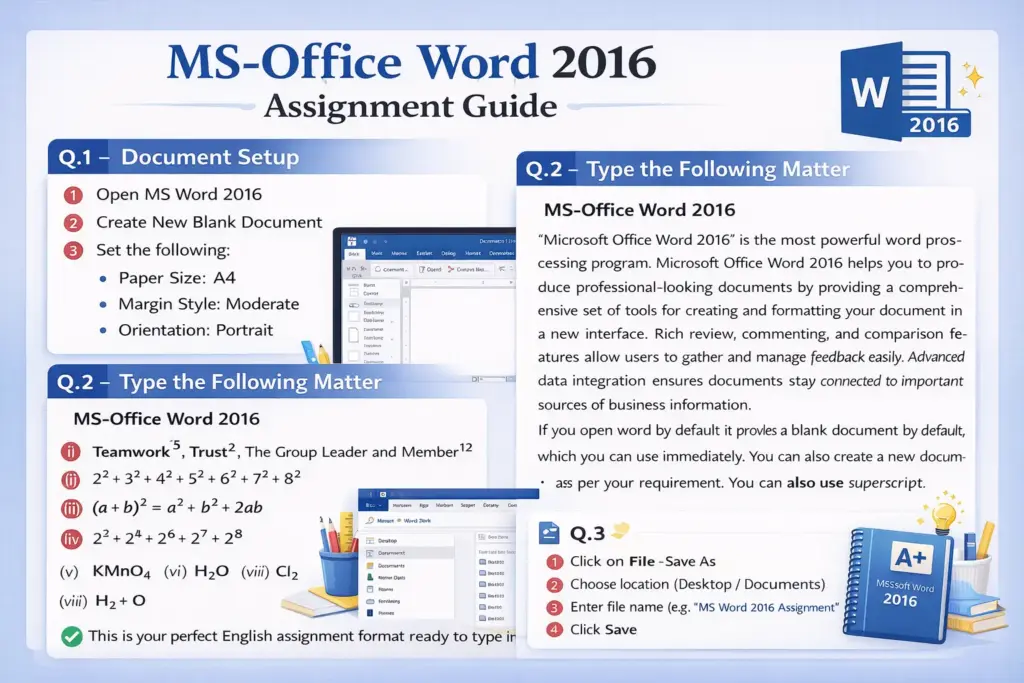
Q.1 – Document Setup कैसे करें
1. MS Word Open करें
- Start Menu → Microsoft Office → Word 2007 पर क्लिक करें
2. New Document खोलें
- File → New → Blank Document → Create
3. Paper Size A4 सेट करें
- Page Layout → Size → A4 select करें
4. Margin Style Moderate करें
- Page Layout → Margins → Moderate चुनें
5. Orientation Portrait रखें
- Page Layout → Orientation → Portrait select करें
Q.2 – Given Matter Type करें
नीचे दिया गया पूरा content Word में टाइप करें:
Read More Article: https://ctsdigital.in/introduction-of-computer/
Heading:
MS-Office Word 2007
Paragraph:
“Microsoft Office Word 2007” is the most powerful Word Processing Program. Microsoft Office Word 2007 helps you to produce professional-looking documents by providing a comprehensive set of tools for creating and formatting your document in a new interface. Rich review, commenting, and comparison capabilities help you quickly gather and manage feedback from colleagues. Advanced data integration ensures that documents stay connected to important sources of business information.
If you open word by default it provides a blank document which you can directly use to do something. You can also create a new document as per your requirement. You can also use superscript & subscript.
Read More Article: https://ctsdigital.in/history-of-computer-evolution-guide/
Examples लिखें:
➤ Now write the few example:-
(i) Teamwork⁵, Trust², The group leader and Member¹²
(यहाँ numbers को superscript करें: Ctrl + Shift + =)
(ii) 2² + 3² + 4² + 5² + 6² + 7² + 8²
(iii) (a+b)² = a² + b² + 2ab
(iv) 2³ + 2⁴ + 2⁶ + 2⁷ + 2⁸
(यहाँ powers को superscript करें)
(v) KMnO₄
(vi) H₂O
(vii) Cl₂
(viii) H₂ + O
(यहाँ numbers को subscript करें: Ctrl + =)
(ix) ACADEMY OF COMPUTERS,
GORAKHPUR, PRIVATE LIMITED,
UTTAR PRADESH
Q.3 – Document Save करें
- File → Save As पर क्लिक करें
- Location चुनें (Desktop / Documents)
- File Name लिखें (जैसे: MS Word Assignment)
- Save बटन दबाएँ