MS Excel Practical-01

MS Excel Practical-01: Learn how to create a marksheet in MS Excel, calculate total marks subject-wise, assign grades automatically using IF formulas, and determine division based on student performance. Step-by-step Excel practical exercise for beginners.
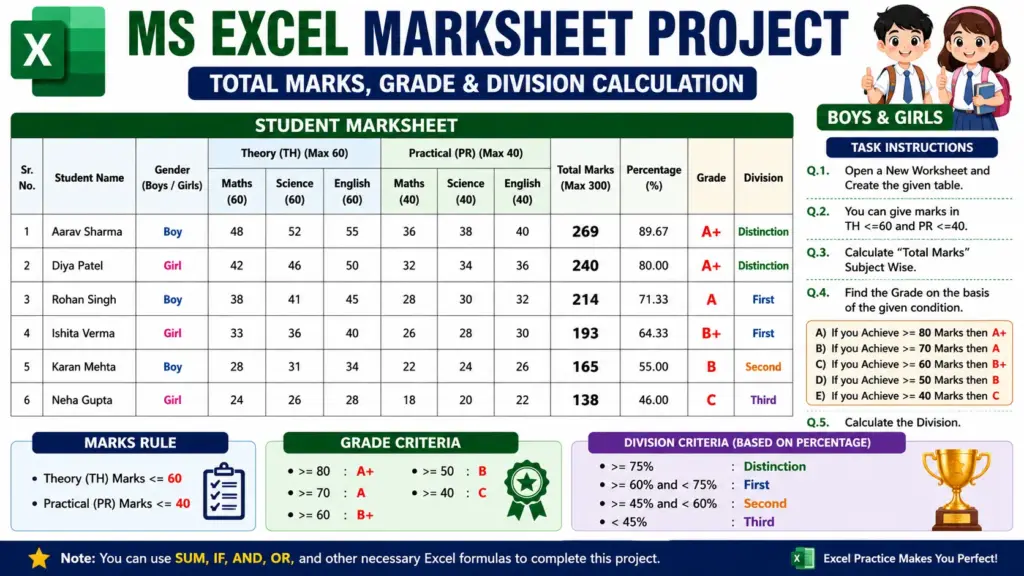
MS Excel Practical-01

MS Excel Practical-01: Total Marks, Grade & Division Calculation

Q.1. Open a New Worksheet and Create a Given Table:-
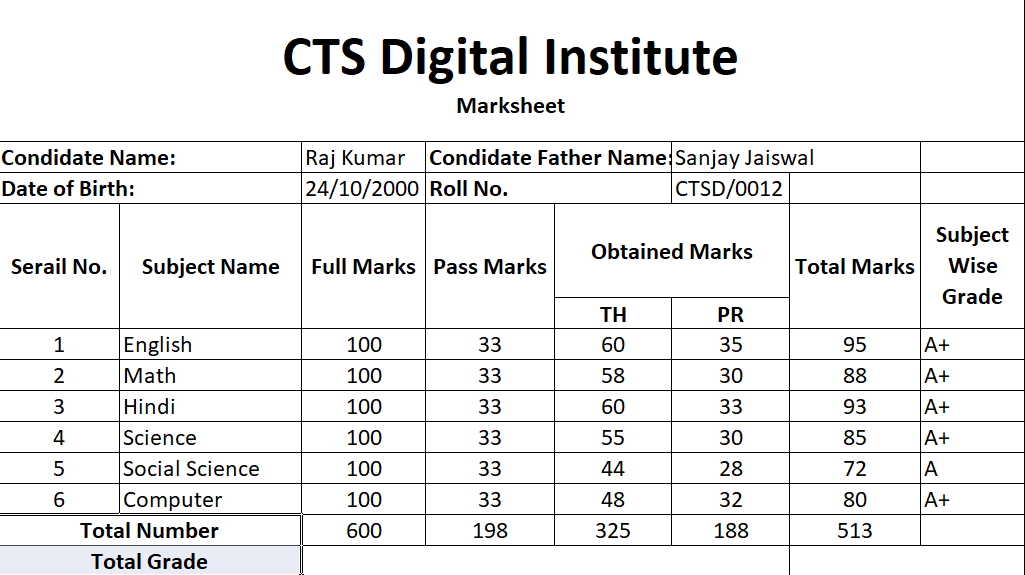
Student Marksheet

Q.2. You Can Give Marks in TH <=60 and PR<=40

Q.3. Calculate “Total Marks” Subject Wise.

Q.4. Find the Grade on the basis of the given Condition.

A) If you Achive >=80 Marks then A+.

B) If you Achive >=70 Marks then A.

C) If you Achive >=60 Marks then B+.

D) If you Achive >=50 Marks then B.

E) If you Achive >=40 Marks then C

Q.5. Calculate the Division.