MS Paint Assignment-02: Learn MS Word Shapes Assignment with image-based questions. Practice identifying shapes, inserting text inside figures, applying colors, formatting shapes, and improving MS Word drawing and editing skills.
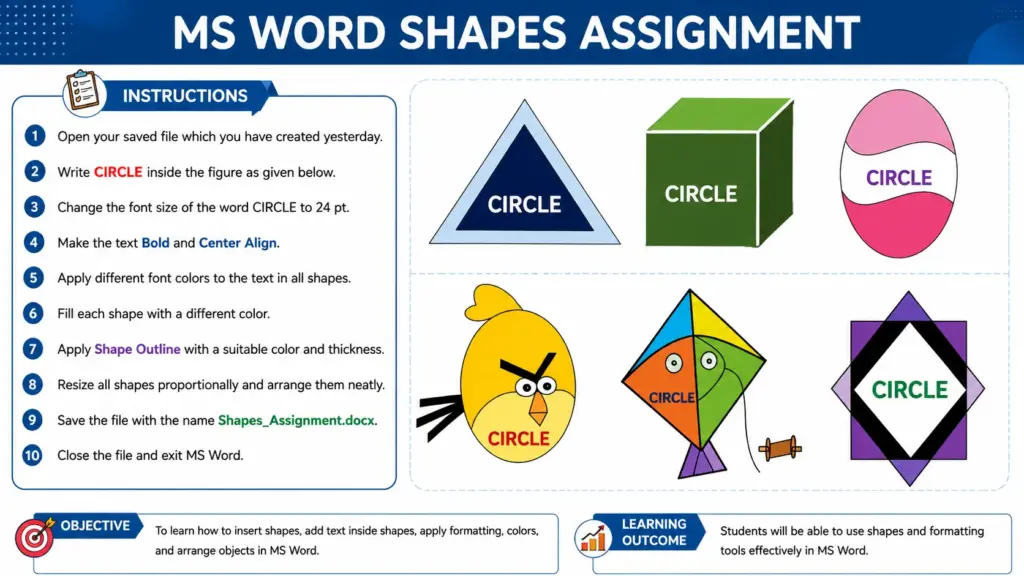
MS Paint Assignment-02
Q.1 Open the MS Word file that you created yesterday.
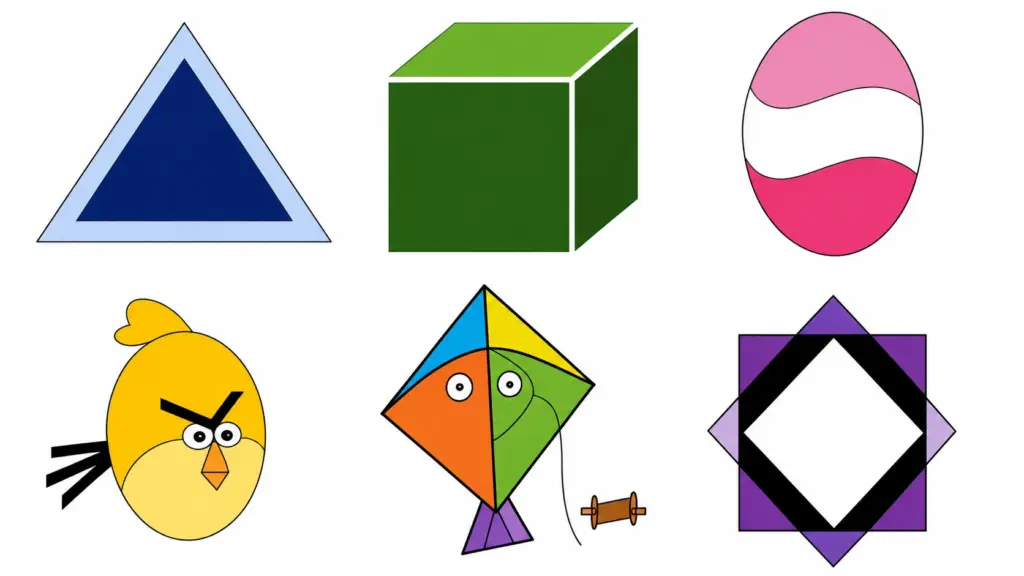
Q.2 Type the word “CIRCLE” inside each figure shown in the image:
- Triangle
- Cube
- Oval
- Bird Shape
- Kite
- Diamond Shape
Q.3 Change the font size of the word CIRCLE to 24 pt.
Q.4 Make the text Bold and Center Align inside each shape.
Q.5 Apply different font colors to the text in all shapes.
Q.6 Fill each shape with a different color using Shape Fill.
Q.7 Apply Shape Outline with a suitable color and thickness.
Q.8 Resize all shapes proportionally and arrange them neatly on the page.
Q.9 Save the document with the name Shapes_Assignment.docx.
Q.10 Close the document and exit MS Word.
Learning Outcome
After completing this assignment, students will be able to:
- Insert and edit shapes in MS Word.
- Add text inside shapes.
- Format text and shapes.
- Save and manage Word documents properly.
निष्कर्ष (Conclusion): MS Paint Assignment-02
इस MS Word Shapes Assignment के माध्यम से विद्यार्थियों ने विभिन्न आकृतियों (Shapes) की पहचान करना, उनमें टेक्स्ट जोड़ना, रंग भरना, आकार बदलना तथा उन्हें व्यवस्थित करना सीखा। यह अभ्यास MS Word के Drawing Tools और Formatting Features को समझने में सहायक है तथा छात्रों के कंप्यूटर कौशल को बेहतर बनाता है।