Excel Assignment Practice 14: इस MS Excel Assignment में Worksheet Protection, Workbook Protection, Cell Locking, Hide/Unhide Rows, Columns और Sheets का व्यावहारिक अभ्यास करें। छात्रों और शुरुआती उपयोगकर्ताओं के लिए उपयोगी गाइड।
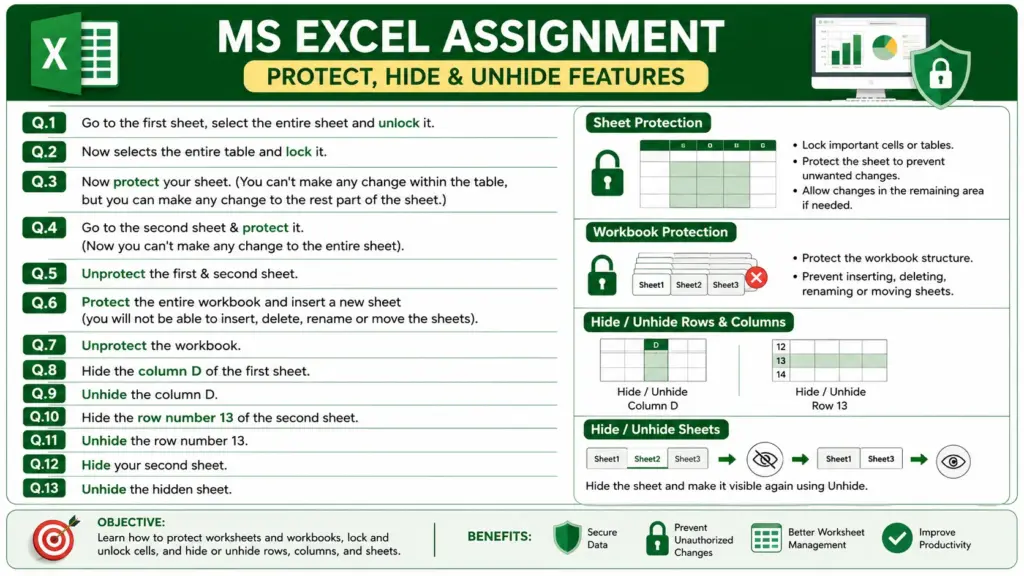
Q.1. Go to the First Sheet, select the entire worksheet, and Unlock all cells.
Q.2. Select the entire data table and Lock the selected cells.
Q.3. Protect the First Sheet.
After protection:
- Changes cannot be made within the locked table.
- Changes can be made in the remaining unlocked area of the worksheet.
Q.4. Go to the Second Sheet and protect the entire worksheet.
After protection:
- No changes can be made anywhere on the sheet.
Q.5. Unprotect both the First Sheet and Second Sheet.
Q.6. Protect the entire Workbook and try to insert a new worksheet.
Observe that you cannot:
- Insert new sheets
- Delete sheets
- Rename sheets
- Move or copy sheets
Q.7. Remove the workbook protection by using Unprotect Workbook.
Q.8. Hide Column D of the First Sheet.
Q.9, Unhide the hidden column and verify that Column D is visible again.
Q.10. Hide Row Number 13 of the Second Sheet.
Q.11. Unhide Row Number 13 and verify that it is visible again.
Q.12. Hide the Second Sheet.
Q.13. Unhide the hidden sheet and make it visible again.
Conclusion: Excel Assignment Practice 14
This assignment helps in understanding Excel security and worksheet management features. By practicing locking cells, protecting sheets and workbooks, and hiding or unhiding rows, columns, and sheets, users can secure data and manage worksheets more efficiently.