Excel Assignment Practice 10: एमएस एक्सेल में रिपोर्ट शीट बनाने का यह प्रैक्टिकल असाइनमेंट छात्रों को टोटल मार्क्स, प्रतिशत और डिवीजन की गणना करना सिखाता है। इसमें शीट बनाना, सेल मर्ज करना, प्रतिशत निकालना और IF फॉर्मूला का उपयोग करके डिवीजन निर्धारित करना शामिल है।
Excel Assignment Practice 10: Objective:
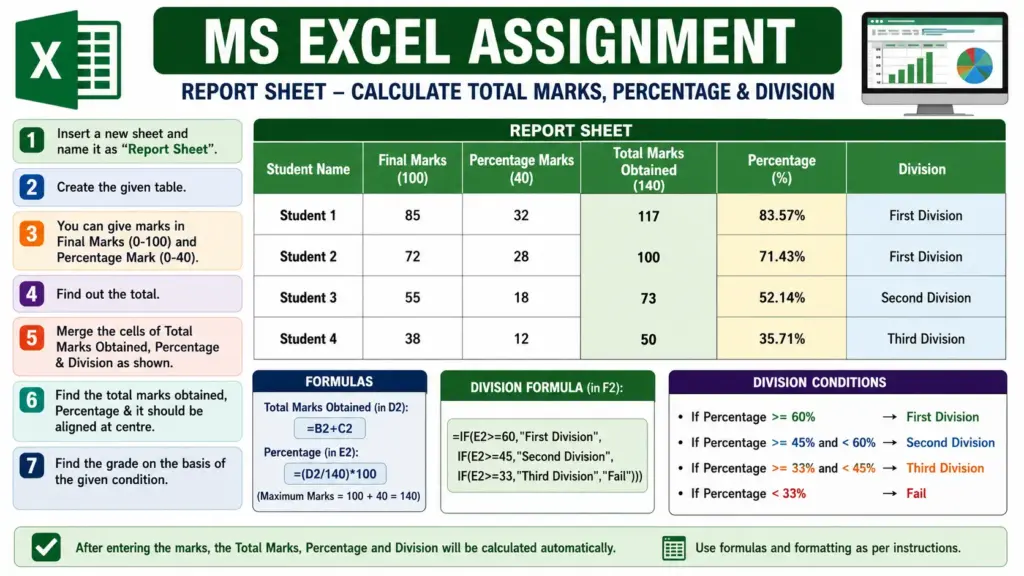
Create a Report Sheet in MS Excel and calculate Total Marks, Percentage, and Division using formulas.
Q.1. Insert a new worksheet and rename it as “Report Sheet”.
Q.2. Create the table as shown below:
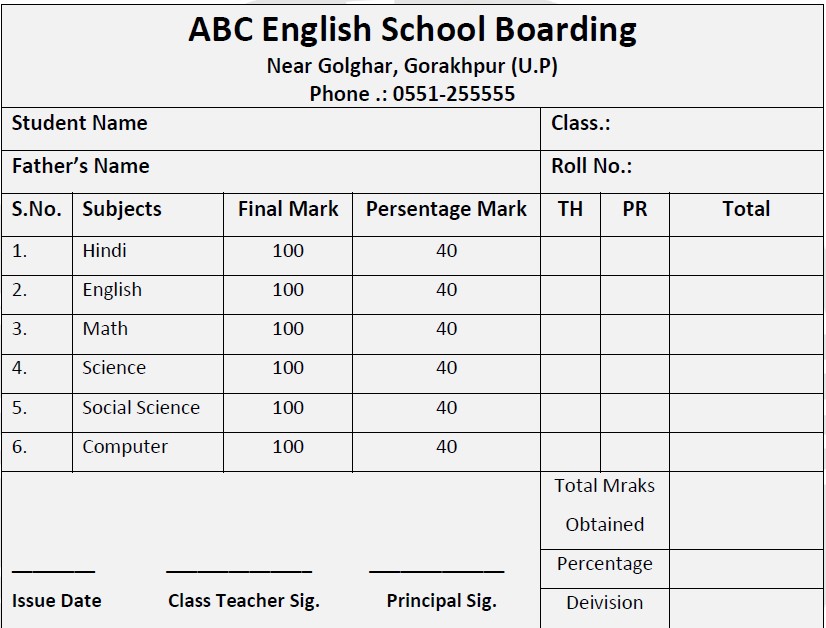
Q.3. Enter marks as follows:
- Final Marks: 0 to 100
- Percentage Marks: 0 to 40
Q.4. Find the Total Marks Obtained using formula:
Q.5. Merge the cells for:
- Total Marks Obtained
- Percentage
- Division
as shown in the given format.
Q.6. Calculate Percentage and align it at the center.
Formula:
= (D2/140)*100
Q.7. Find the Division using the following conditions:
a) If Percentage ≥ 60% → First Division
b) If Percentage ≥ 45% and < 60% → Second Division
c) If Percentage ≥ 33% and < 45% → Third Division
d) If Percentage < 33% → Fail
Formula:
=IF(E2>=60,”First Division”,IF(E2>=45,”Second Division”,IF(E2>=33,”Third Division”,”Fail”)))
Result: The worksheet should automatically display:
- Total Marks Obtained
- Percentage
- Division
based on the marks entered by the user.