Image Resize Tool: अगर आप किसी फोटो की size कम करना चाहते हैं, #image को #resize करना चाहते हैं या JPG, PNG और WEBP format में convert करना चाहते हैं, तो यह Advanced Image Resize Tool आपके लिए सबसे बेहतरीन solution है। इस #tool की मदद से आप बिना quality खराब किए#image compress और optimize कर सकते हैं।
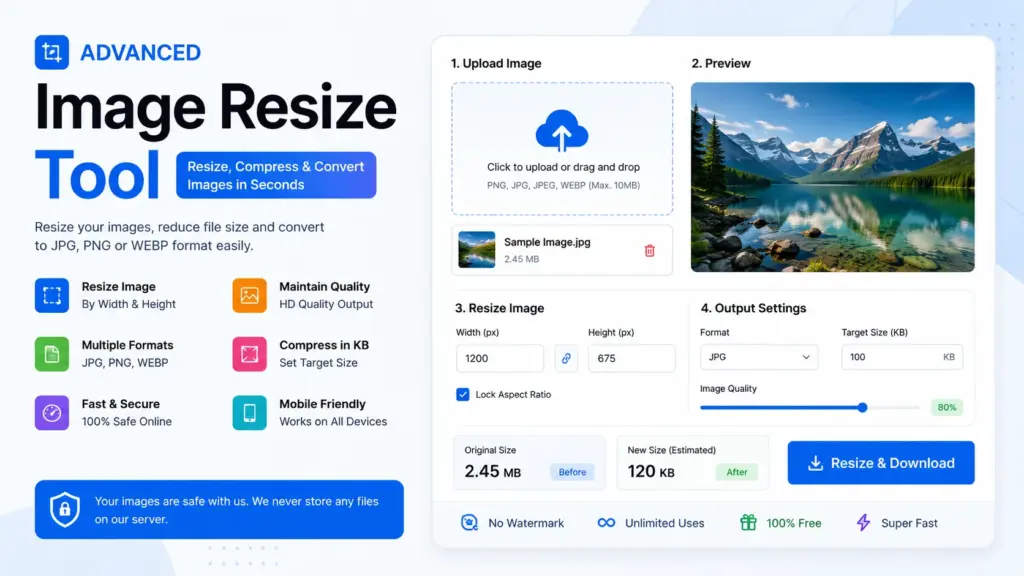
Features of Advanced Image Resize Tool
- Image Resize by Width & Height
- Compress Image in KB
- JPG, PNG & WEBP Convert
- HD Quality Maintain
- Mobile Friendly Tool
- Fast Download Option
- Live Image Preview
- Aspect Ratio Lock
How to Use Image Resize Tool
1-Step:
अपनी image upload करें।
2-Step:
Width और Height सेट करें।
3-Step:
Target KB size डालें।
4-Step:
Image format चुनें।
5-Step:
Resize button पर क्लिक करके image download करें।
Advanced Image Resize & Compressor
Resize, compress और format convert करें
Original Size: 0 KB
New Size: 0 KB
Supported Formats
- JPG
- JPEG
- PNG
- WEBP
FAQ Section
Q1. क्या यह #Image Resize Tool Free है?
हाँ, यह tool पूरी तरह free है।
Q2. क्या इससे image quality खराब होती है?
नहीं, यह HD quality maintain करता है।
Q3. क्या Mobile में काम करेगा?
हाँ, यह mobile और desktop दोनों में perfectly काम करता है।
Q4. क्या इससे KB size कम कर सकते हैं?
हाँ, आप target KB size सेट कर सकते हैं।