Excel Assignment Practical 02: MS Excel में सीखें Name Box, GO TO Option, Row Height, Column Width और जरूरी Shortcut Keys का आसान उपयोग। यह Assignment छात्रों के लिए Step-by-Step तरीके से तैयार किया गया है ताकि वे Excel की बेसिक और प्रैक्टिकल जानकारी आसानी से समझ सकें। इसमें First Cell पर जाना, Last Row और Last Column चेक करना, Column Width बदलना और File Save करना जैसी महत्वपूर्ण प्रक्रियाएं शामिल हैं। अगर आप Computer Course, CCC, ADCA, DCA या School Practical की तैयारी कर रहे हैं, तो यह Excel Assignment आपके लिए बेहद उपयोगी और मददगार साबित होगा।
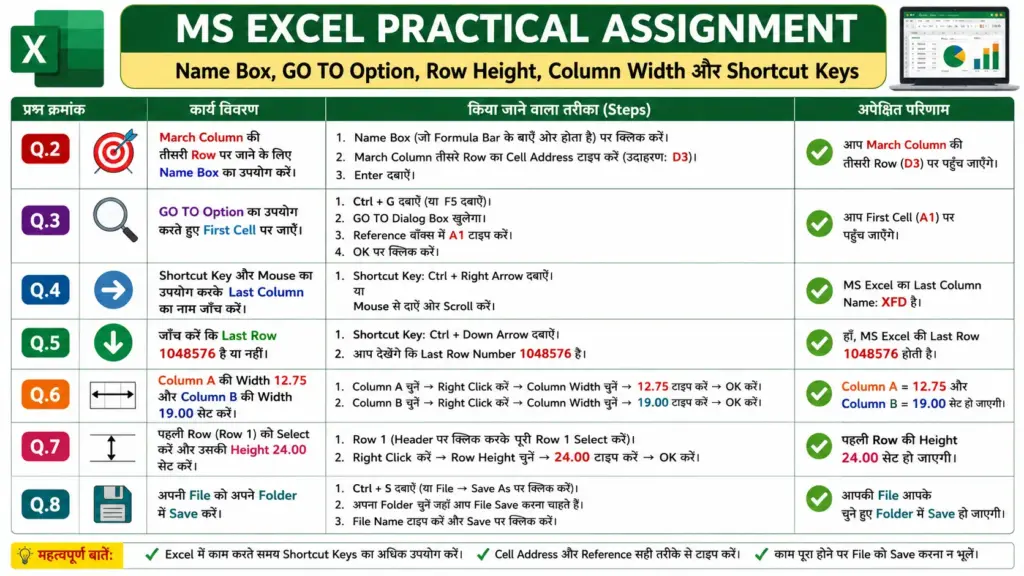
Excel Assignment Practical 02: छात्रों के लिए जरूरी Shortcut Keys और Formatting सीखने की पूरी जानकारी
Q.1- Create Table
| Serial Number | Expenses | Jan | Feb | Mar | Apr | Total |
|---|---|---|---|---|---|---|
| 1 | Rent | |||||
| 2 | Clothes | |||||
| 3 | Food | |||||
| 4 | Tuition Fee | |||||
| 5 | Deposited into Saving A/C | |||||
| 6 | Travelling Expenses |
Q.2- Go to the third row of March Column by using Name Box.
Answer:
- Click on the Name Box beside the Formula Bar.
- Type the cell address of the third row in March column (Example: D3).
- Press Enter key.
Q.3- Go to the First Cell by Using GO TO option.
Answer:
- Press Ctrl + G shortcut key.
- GO TO dialog box will open.
- Type A1 in the Reference box.
- Click on OK.
Q.4- Check the name of last column (by using Shortcut key & Mouse).
Answer:
- Press Ctrl + Right Arrow key or scroll using mouse.
- The last column name in MS Excel is XFD.
Q.5- Check whether last row is 1048576 or not.
Answer:
- Press Ctrl + Down Arrow key.
- The last row number in Excel is 1048576.
Q.6- Set width of Column A to 12.75 & for B to 19.00
Answer:
- Select Column A.
- Right Click → Choose Column Width.
- Enter 12.75 and click OK.
- Select Column B.
- Enter 19.00 as column width.
Q.7- Select first row and set its height 24.00.
Answer:
- Select Row 1.
- Right Click → Choose Row Height.
- Type 24.00.
- Click OK.
Q.8- Save your file under your folder.
Answer:
- Press Ctrl + S.
- Select your folder location.
- Type file name.
- Click on Save button.